Gitea Enterprise 27.3.8 is released

We are excited to announce the release of Gitea Enterprise 27.3.8! This release brings Gitea Agents, secret and code scanning, push rules, richer push mirrors and stacked pull request detection, together with a large batch of security fixes backported from the Gitea community.
We strongly recommend upgrading. Every CVE fixed in this release is disclosed below.
Major Highlights
🚀 Gitea Agents
Gitea Agents bring AI collaborators into the place where your team already works: issues, pull requests and code review. Instead of copying context between an IDE and a chat window, you assign an issue to an agent, @ mention it, or request a review from it, and it works with real Git actions: commits, pull requests, review comments and replies.
Four roles are available out of the box:
- Planner: reads a new issue, checks the codebase for the current state, replies with an actionable plan, and can split the plan into sub-issues assigned to people or other agents.
- Coder: checks out the code, implements the change, pushes a branch and opens a pull request. It then follows up on review comments and replies in the review thread, keeps the branch updated, tries to resolve conflicts, and can attempt to fix failing CI within a configurable retry limit. Large requests can be delivered through a plan of several pull requests.
- Reviewer: reviews a pull request when it is opened or when it is requested as a reviewer, leaving line-level comments in the same review panel as human reviewers.
- Security: scans the repository on a schedule, only the new changes on the default branch, or the changes in a pull request, and reports what it finds.
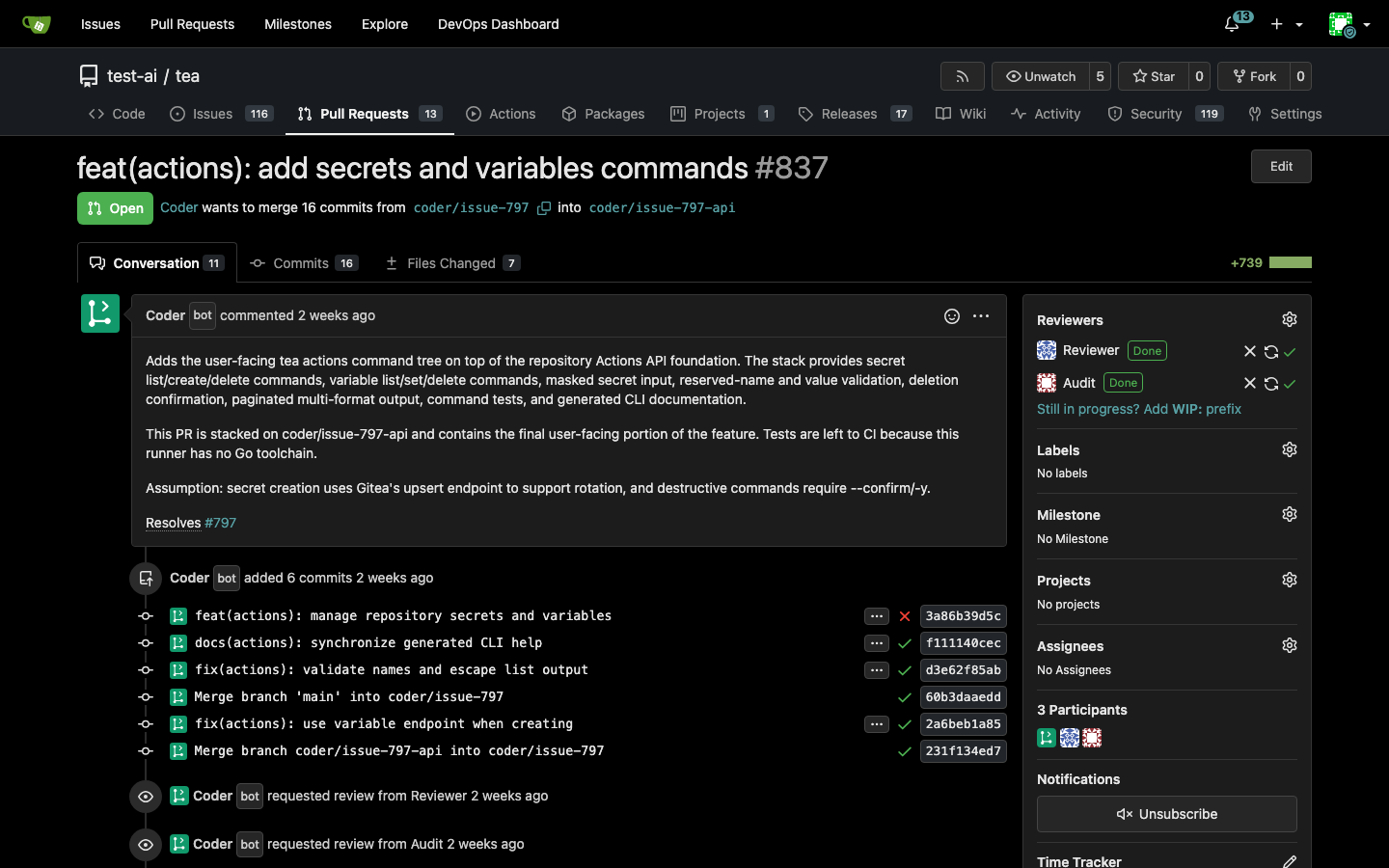
The roles can be chained: a Planner splits an issue, a Coder opens a pull request, a Reviewer comments, the Coder addresses the feedback, and CI failures are fixed along the way. A maximum chain depth stops agents from talking to each other forever and hands control back to a human.
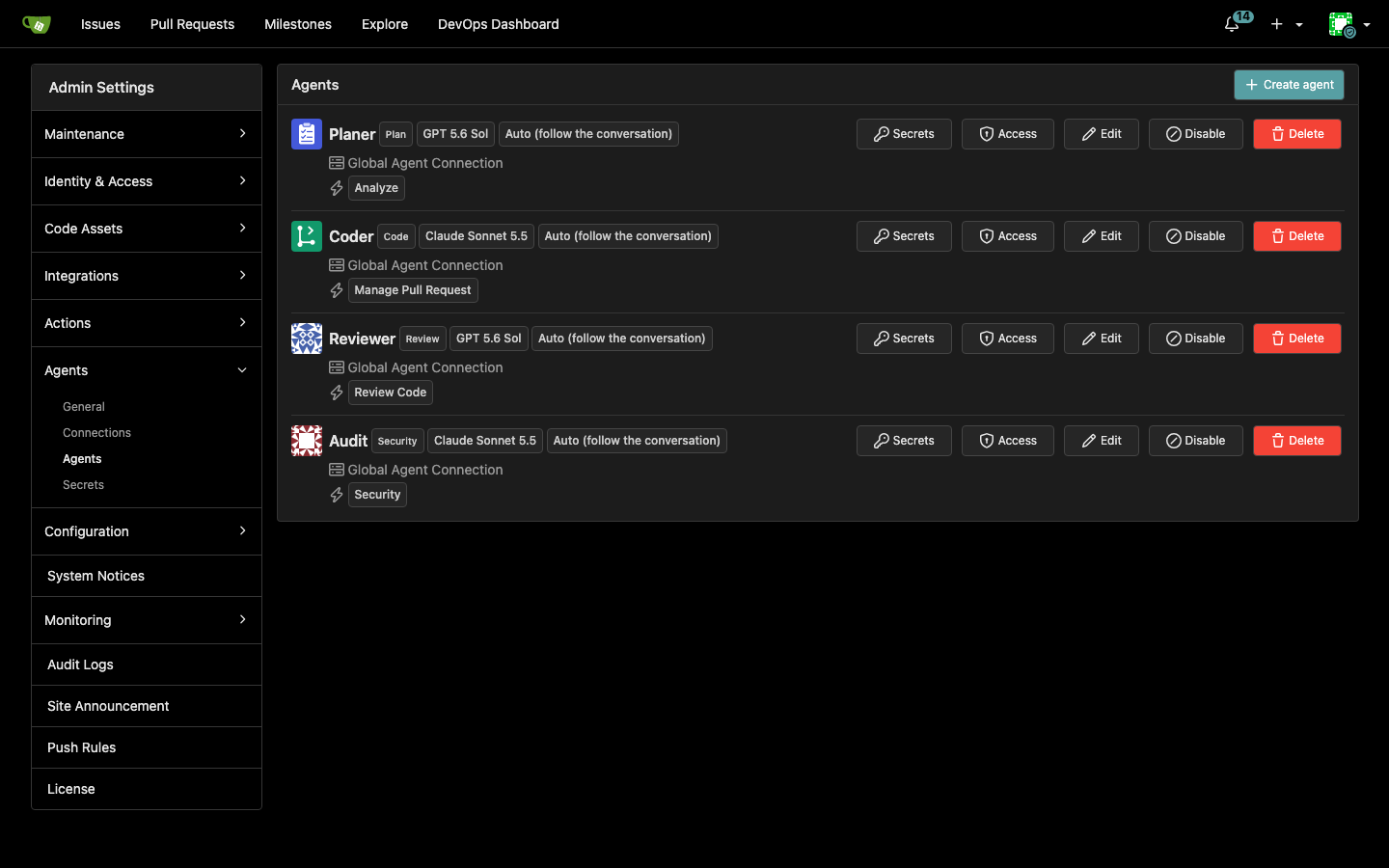
Each agent is configured in the UI with a name, avatar, model, working language, trigger events and allowed actions. There is no prompt engineering to do: an action is a permission, so an agent that has not been allowed to merge never merges, and one without the security action never loads the security instructions. Saving an agent creates a dedicated bot account. What the agent can do in a repository is the intersection of that account's permissions and the permissions of the person who triggered it, so there is no second permission system for AI.
Every run is shown as a session card on the issue or pull request timeline. You can expand it to see which files were read, which tools were called, what changed, and how many tokens the run consumed, so an agent is never a black box.
🚀 Secret scanning and secret protection
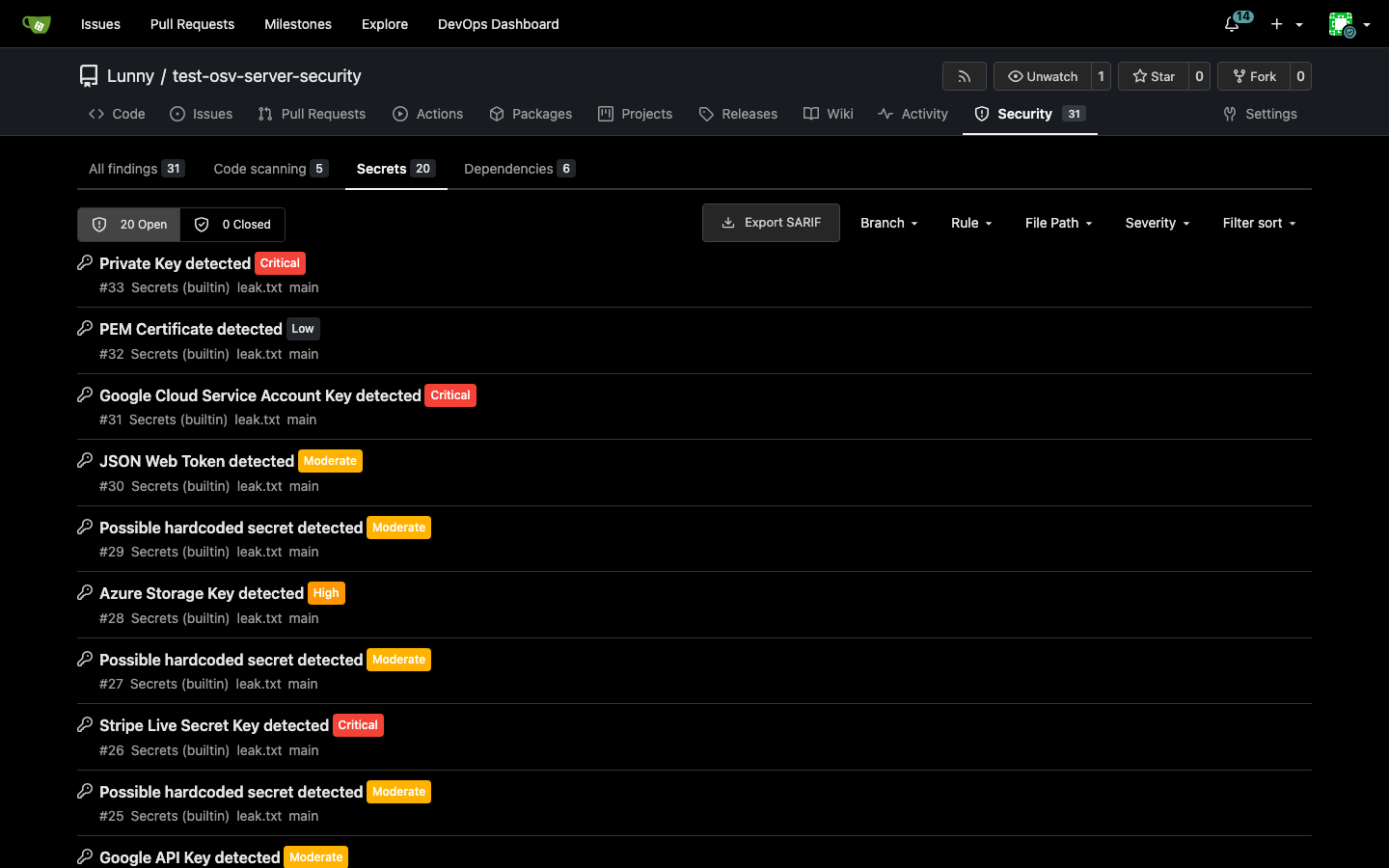
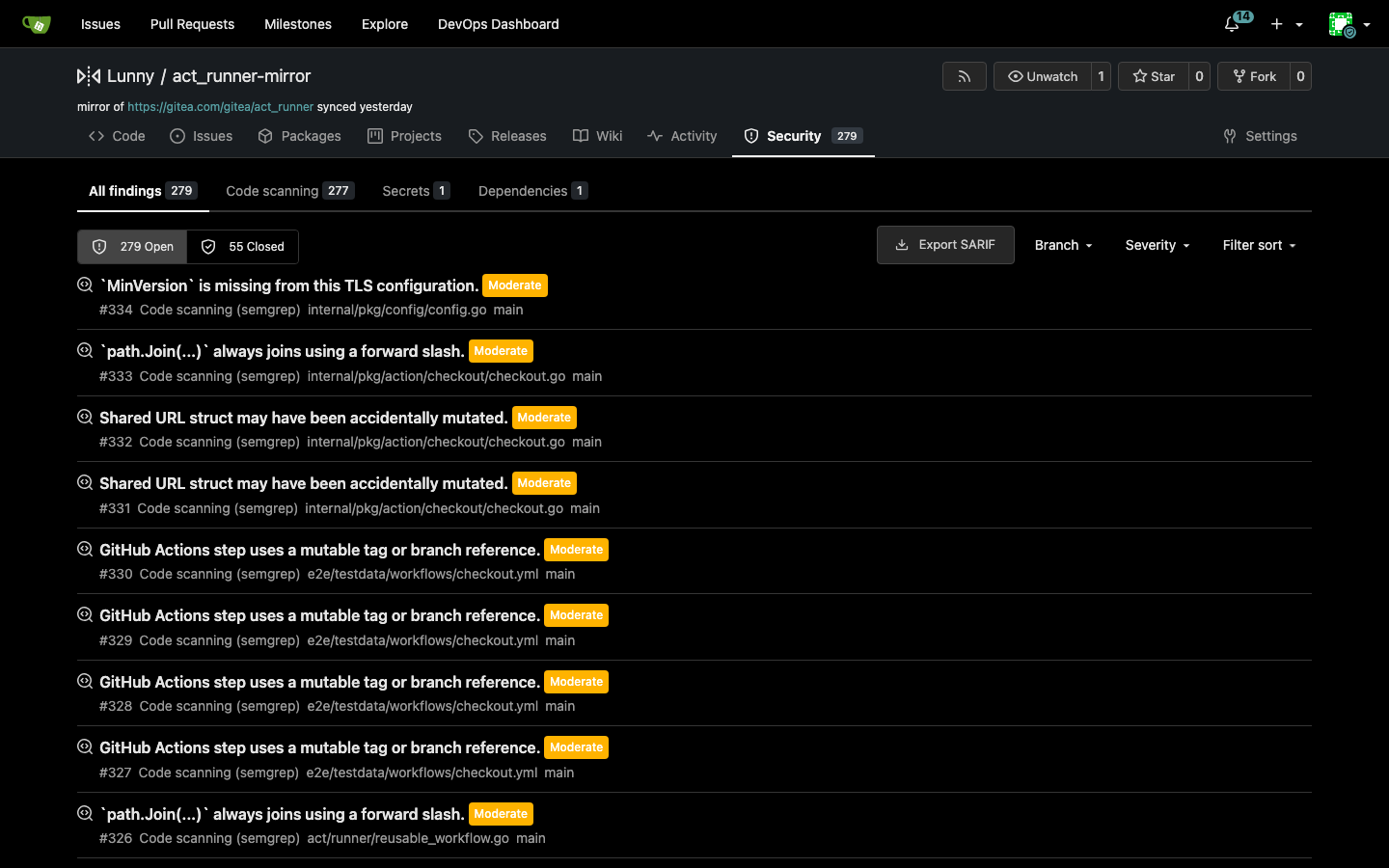
Dependency alerts, secrets and code scanning now share one security findings table and one repository security page. A finding records which scanner reported it, so the same type of issue can be detected by more than one scanner, and a scan only closes the findings of the scanner that ran.
Secret scanning ships with a built-in scanner. A repository can turn the built-in rules off, add rules of its own, and allowlist paths, matches and individual findings. Ignore rules live in .gitea/secret-scan-ignore inside the repository, so they are versioned and reviewed together with the code they describe. The repository settings page shows running and failed scans and when each branch and scanner was last checked, and a row expands into its previous scans (the last 20 per branch and scanner are kept). The same data is available from GET /repos/{owner}/{repo}/security/scans, and findings from /repos/{owner}/{repo}/security/findings.
🚀 Code scanning
Code scanning is built on the same findings framework and supports several sources:
- gosec and Semgrep run as built-in scanners. The Semgrep executable is installed on the server and the ruleset is downloaded from an archive URL, then validated, with its status shown in the UI. Only the rules for the languages found in the scanned tree are loaded, and a repository can add its own rules through
.gitea/sast-ruleset.toml. - SARIF reports can be uploaded from a CI job with
POST /repos/{owner}/{repo}/security/code_scanning/sarifs, uploaded by hand from the repository settings page, or optionally read from reports committed in the repository. - Gitea Agents: a Security agent reports its findings on the repository security page instead of opening one issue per finding. Each finding carries the class, severity, confidence, location and the agent's explanation, and pull request scans keep reporting on their pull request.
Code scan findings can be suppressed per path or per finding in .gitea/code-scanning-ignore.
🚀 Push rules
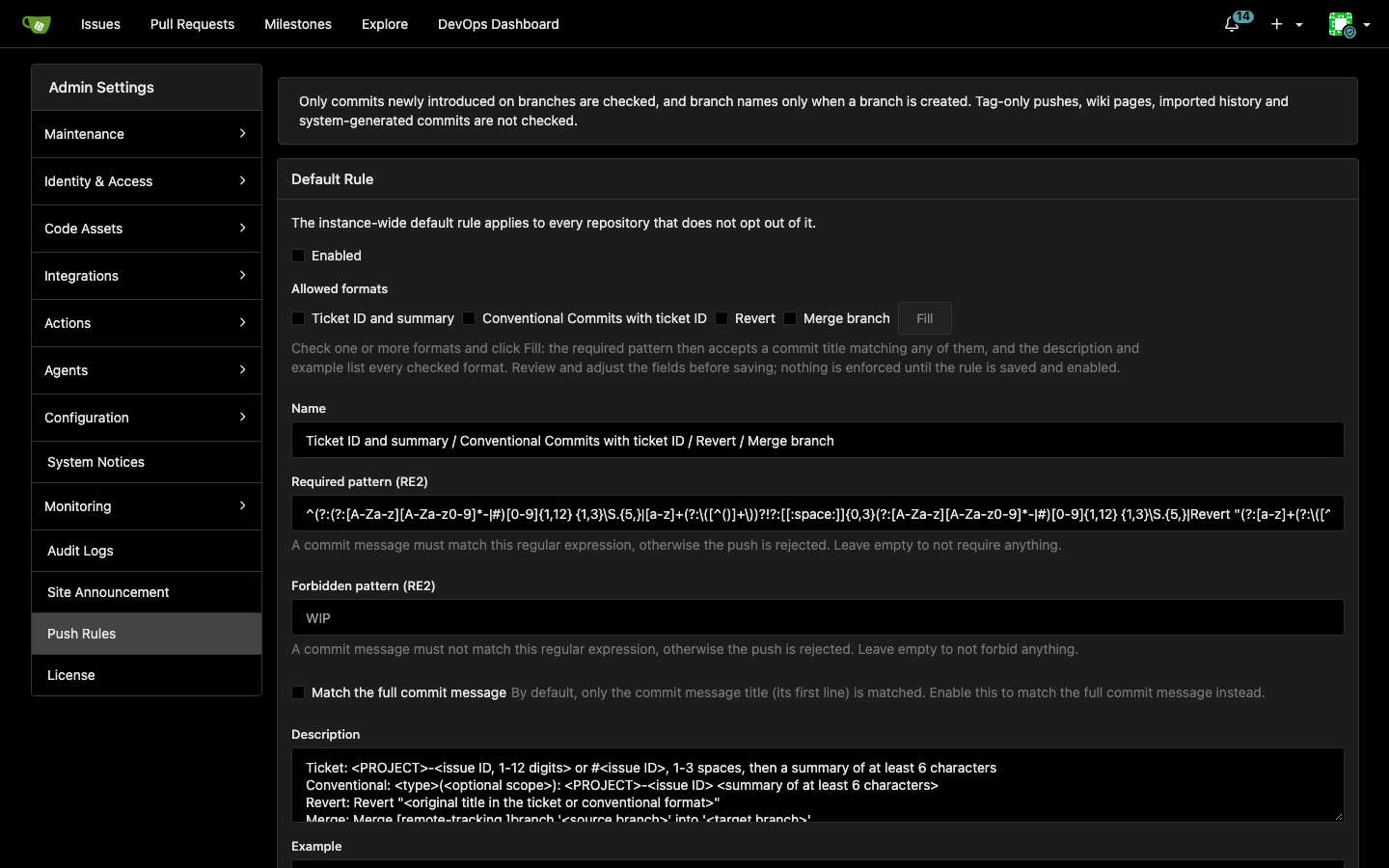
Push rules check commits before they are written to the repository. When a push does not comply, the whole push is rejected with the commit ID, time and title, plus the explanation and examples written by your administrators. Nothing is built in: the rules are entirely yours to define, and they apply to every branch, with or without branch protection.
Rules exist at three levels, instance, organization and repository, and each repository is checked against the intersection of all of them. Two kinds of rules are available:
- Mandatory rules are set on the instance or an organization and take effect immediately for everything below. Lower levels cannot copy, override, disable or delete them.
- Optional default rules are passed down the chain, and each lower level picks one of four modes: inherit (follow the parent live), copy (a snapshot), custom, or do not adopt.
Besides required and forbidden commit message expressions (RE2 syntax, matched against the title or the full message), push rules can check the branch name, author email, prohibited file names, maximum file size and the maximum number of new commits in a push or merge. A built-in format picker can fill in a rule that accepts one or more commit message styles, and a test box shows how a message fares against the saved parent rules plus your unsaved edits. Changes are audited, concurrent edits are version-checked, and everything is available through the REST API. Agents are aware of the effective rules and can check a push before making it.
🚀 More push mirror options and synchronization history
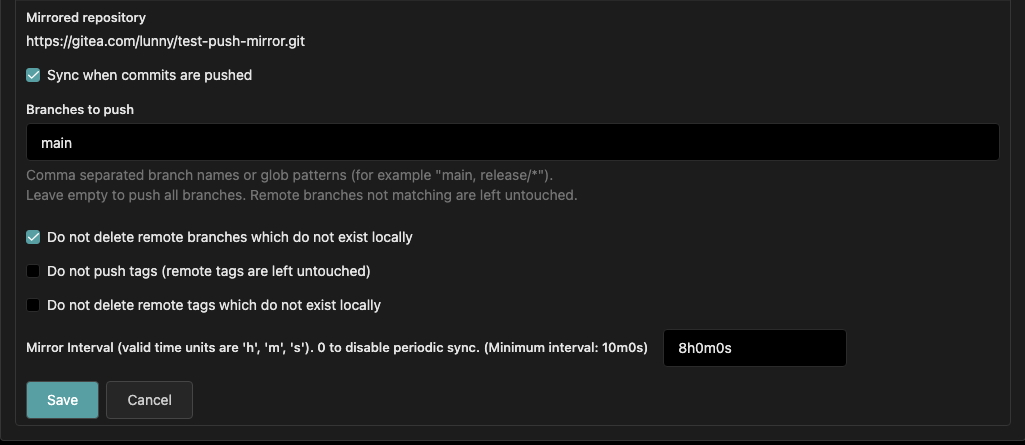
Push mirrors used to run a plain git push --mirror. You can now keep branches that exist only on the remote, skip tags or keep remote tags, and push only selected branches or globs. The default keeps the old behavior. Results are reported per reference instead of one error string for the whole run, and the history of recent synchronizations (success, partial success or failure) is shown for each mirror. Mirror credentials are also kept out of the git config, and push mirror rollbacks are stopped.
🚀 Stacked pull request detection
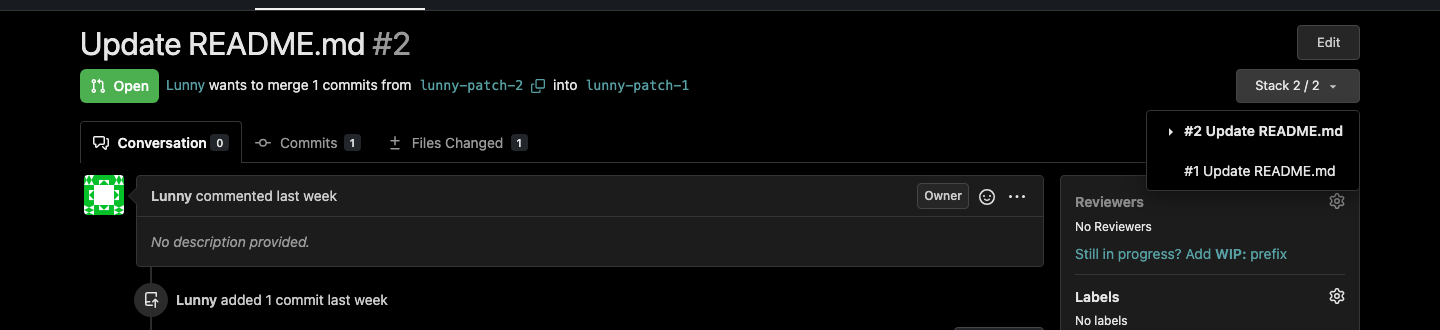
Pull requests that depend on each other are now shown as a stack. On a pull request page you see the ordered chain of linked pull requests with the current one highlighted, along with indicators for closed or merged, conflicted and outdated pull requests, which makes chains of small dependent changes much easier to review.
🚀 User group improvements
User group performance has been improved, user groups support multiple parents, and a user group can be added as a repository collaborator, with the member list shown on the collaborator page. User groups can also be allowed to command an agent. Administrators can show and filter users by authentication source in the admin UI.
Security fixes and disclosed CVEs
- SECURITY
- Enforce the migration egress policy on git's connections (#39426) (CVE-2026-70357, CVE-2026-101027, CVE-2026-101029, CVE-2026-89430, CVE-2026-96400, CVE-2026-104636)
- Limit Actions matrix expansion to 256 combinations (#39295) (CVE-2026-96580)
- Inherit team access for all units (#38938, #39579) (CVE-2026-103504)
- Preserve transfer recipient collaboration (#39042) (CVE-2026-96589)
- Scan only the keyword window before a reference (#39396) (CVE-2026-95112)
- Classify git failures on stderr and restrict migration failure detail (#39010) (CVE-2026-101029, CVE-2026-89430)
- Pick the participating capture group for issue-pattern regexps (#39354) (CVE-2026-96399)
- Add missing checks to several API and web handlers (#39501) (CVE-2026-97208, CVE-2026-86684, CVE-2026-96594, CVE-2026-101023, CVE-2026-105268, CVE-2026-89182, CVE-2026-97626, CVE-2026-105267, CVE-2026-104633)
- Reject fsck-invalid objects on push (#39472) (CVE-2026-95106)
- Fetch SSH keys by fingerprint (#39423) (CVE-2026-103059)
- Harden fork pull request run approval in Actions (#39399) (CVE-2026-104632, CVE-2026-104626, CVE-2026-103670, CVE-2026-94205)
- BUGFIXES
Download
Binaries for Gitea Enterprise 27.3.8 are available on the release page.