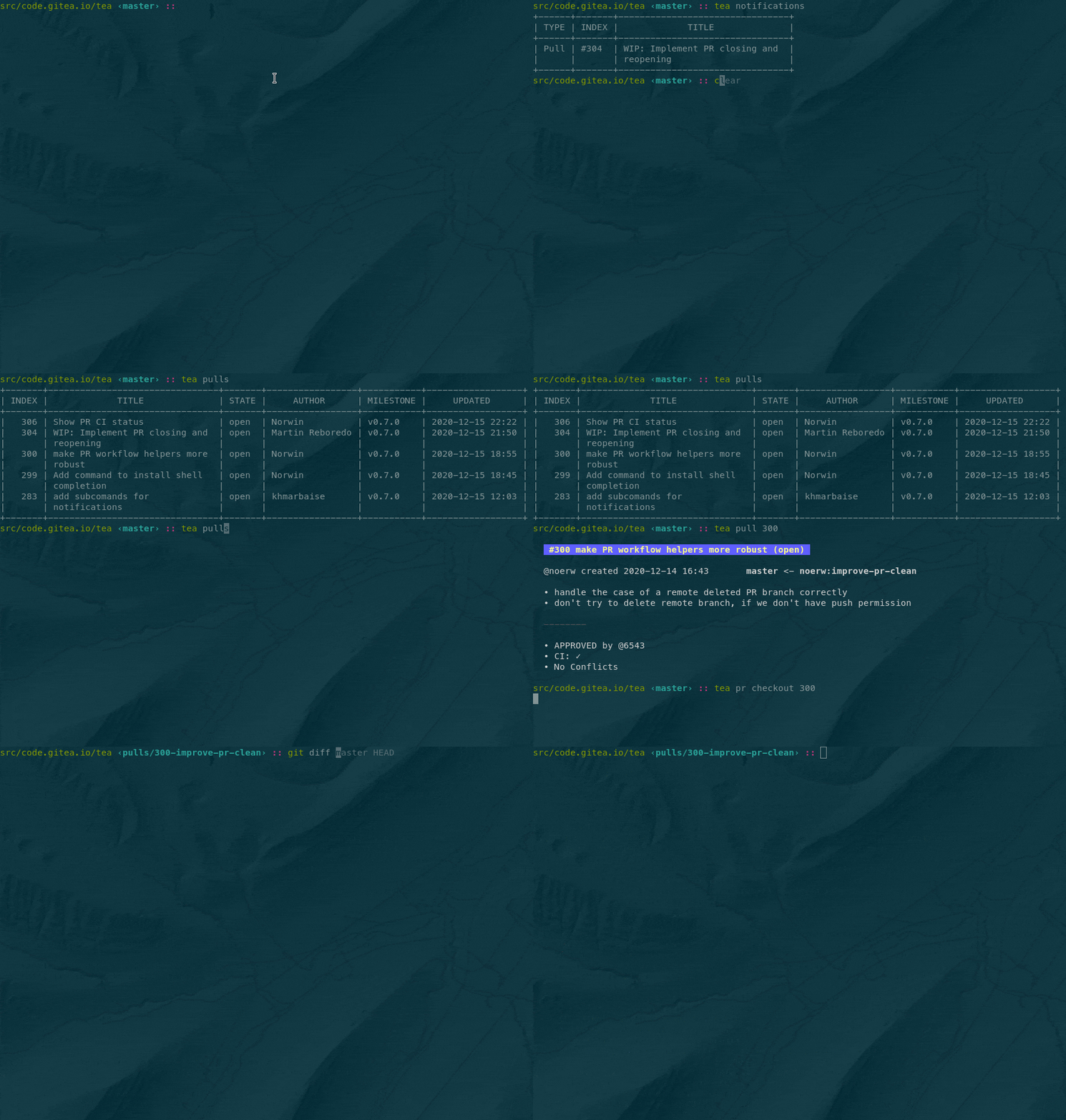
What is Tea?
Tea is the official command-line interface for Gitea. It is a single, lightweight binary that turns the entire Gitea workflow — issues, pull requests, releases, repositories, even server administration — into a few keystrokes, and works against any number of Gitea instances at once.
See it in action
A few commands you'll use every day:
# Connect to one or many Gitea servers
tea login add --name work --url https://git.example.com --token $TOKEN

# Triage and comment on issues
tea issues list --state open --assignee me
tea issues comment 42 "Looking into this now."

# Review a pull request locally, then merge it
tea pulls checkout 128
tea pulls review 128 --approve --comment "LGTM"
tea pulls merge 128

# Cut a release as part of a CI job
tea releases create v1.4.0 --asset ./dist/app.tar.gz
Built for humans, scripts, and agents
- Day-to-day work: manage issues, PRs, releases, repos, labels, milestones, and notifications without ever leaving your terminal.
- CI/CD pipelines: drop Tea into Gitea Actions, GitHub Actions, Jenkins, or GitLab CI to comment on PRs, update issues, and publish releases — no custom API client needed.
- AI agents: give LLM-powered agents a safe, scoped, and deterministic interface to triage issues, draft PR reviews, and orchestrate multi-repo changes through plain shell commands.
Why Tea?
- Scales with you — one Gitea instance or hundreds, all via named login profiles.
- End-to-end coverage — daily collaboration and server administration in one tool.
- Automation-friendly — a single static binary that drops cleanly into scripts and pipelines.
- Open source — built with the Gitea community, the same way you ship your own code.
Getting started
Grab a build from the download button above, or check the installation guide and command reference in the Tea repository.